









Rugged phones with a keypad
Do you work in the field, often carry your phone in your work pocket, or are you simply fed up with fragile smartphones? A rugged phone with a keypad offers easy operation and greater resistance to everyday conditions. You can easily operate the physical buttons with one hand, and the reinforced design performs better in situations where a regular phone might quickly get damaged. Check out these models to see if they’re right for you!
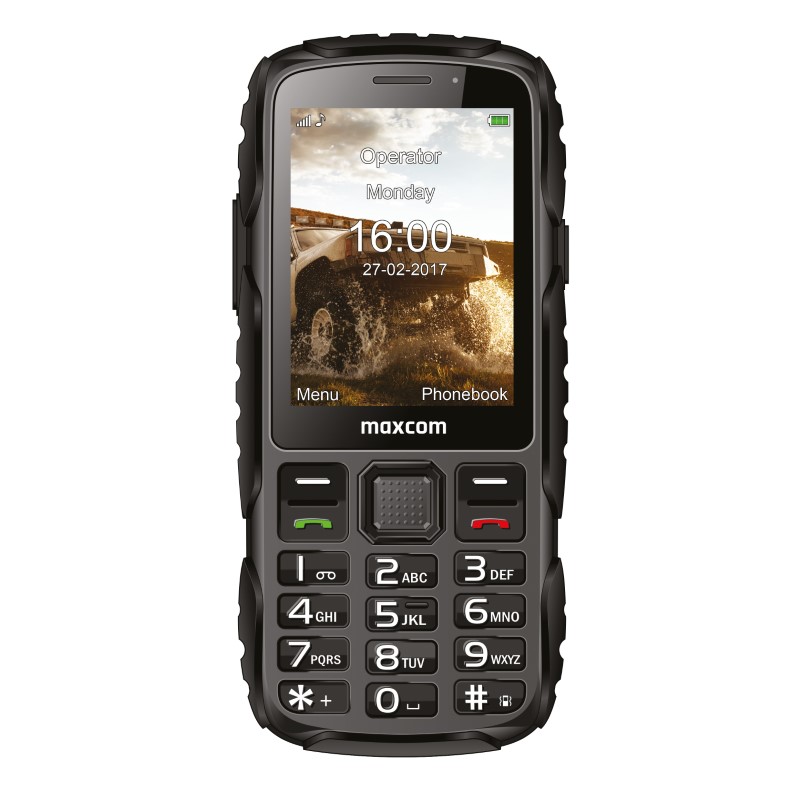
Rugged Phones with Keypads – Durable and Easy to Use
If you’re looking for a phone that can withstand heavy use while still being easy to use, a rugged model with a physical keypad is just right for you! This design works especially well if you work in the field, often use your phone while wearing gloves, or want quick access to basic functions.
Who is a rugged phone with a keypad best for?
If you want your phone to be, above all, a reliable communication tool rather than just another delicate gadget, a rugged model with a keypad is a very practical choice. It’s ideal:
- people who work in the field—on a construction site, in a warehouse, on a farm, or during technical work, where the phone is more exposed to impacts, dust, and heavy use;
- for those who often work while wearing gloves – physical buttons are easier to use than a touchscreen, especially when you need to make a call quickly;
- for active people who spend a lot of time outdoors—this type of phone is well-suited for trips, gardening, or daily chores outside the home;
- for users who prefer simplicity—if you don’t need lots of apps, a large screen, or constant notifications, the classic keypad lets you focus on the most important features;
- as a backup phone—you can take it with you wherever you don’t want to risk damaging your main smartphone.
Choose a rugged phone with a physical keyboard if you’re looking for a device that will, above all, serve you well in your daily work and in tougher conditions.
Physical Keyboard vs. Touchscreen—Which Should You Choose for Work?
At work, your phone should, above all, keep up with you. If you make frequent calls, work while wearing gloves, or use the device in more challenging conditions, a physical keyboard may simply be more convenient. A touchscreen offers more possibilities, but it doesn’t always perform as well in the field.
| Physical Keyboard | Touchscreen | |
| Usability with gloves | easier and more predictable | may be difficult |
| Quick dialing | Large buttons make dialing easier | requires screen operation |
| Field work | Works well for simple tasks and frequent communication | Better if you need apps and the Internet |
| Durability | simple design makes it suitable for use in harsh conditions | the large screen is more susceptible to damage |
| Additional features | Focuses mainly on calls and basic functionality | provides access to a wider range of apps and tools |
If you need a phone mainly for calls, messages, and field work, a rugged phone with a physical keyboard is the better choice. However, if you use maps, business apps, or email, a touchscreen model will offer you more features.
How to Choose a Rugged Phone with a Keypad?
A good rugged phone should, above all, suit your needs. If you plan to use it at work, on a construction site, in a workshop, or while traveling, pay attention to a few specific specifications:
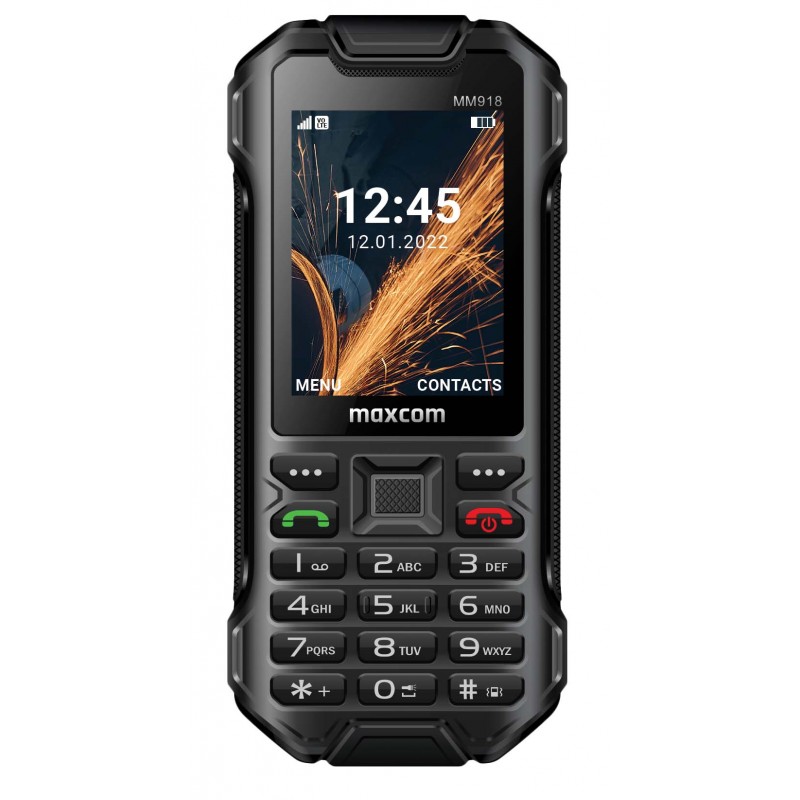
- durability rating – check the IP rating. For example, the Maxcom Strong MM918 L 4G has an IP68 rating, which confirms enhanced protection against dust and water;
- battery – the less often you have access to a power outlet, the more important the battery capacity becomes. The MM918 L 4G has a 2500 mAh battery, and its claimed standby time reaches 520 hours;
- connectivity – if you want to continue using your phone even after changes to cellular networks, choose a model that supports 4G and VoLTE;
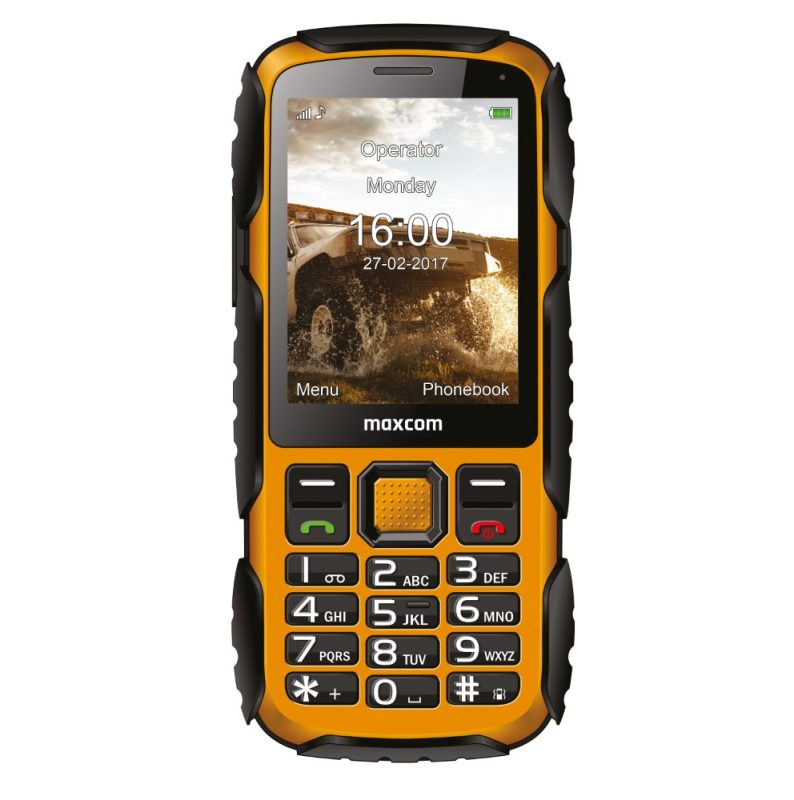
- keyboard – when doing physical work, the size and layout of the keys matter. The island-style keyboard on the MM918 L 4G is designed so you can use it even while wearing gloves or with dirty hands;
- Dimensions and grip – rugged doesn’t have to mean bulky. Check the weight and size of the case, especially if you carry the phone with you most of the day or operate it with one hand;
- useful extras – a flashlight, Dual SIM, FM radio, or memory card support may prove far more useful on the job than elaborate apps.
So choose a model that suits your work conditions. If durability, long battery life, and quick operation via physical buttons are your top priorities, a rugged phone with a keypad may be much more practical than a classic smartphone.
If you need a work phone that’s easy to use, has physical buttons, and can withstand harsher conditions, a rugged phone with a keypad could be an excellent choice.
Check out the rugged phones with keypads available at Maxcom and choose a model that fits your work needs!