











USB cables
Today, it’s hard to imagine using electronics without accessories such as an Android Auto adapter or standard USB cables. These accessories enable fast charging, secure data transfer, and convenient integration of smartphones with other devices—including in the car. The Maxcom store’s selection includes, among other things, modern solutions that eliminate the need for cables, providing greater freedom in your daily use of your devices. Check out the available USB cables and place your order!
USB Cables—Practical Accessories for Everyday Use
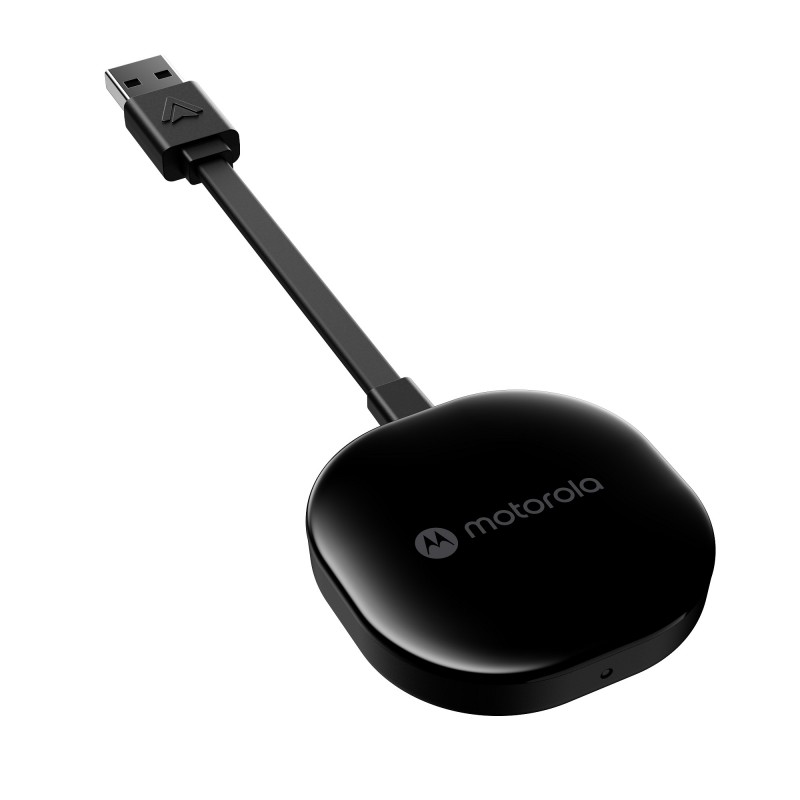
USB cables are essential tools that each of us uses every day—to charge a smartphone, transfer files, or connect additional devices. Their sturdy construction and compliance with modern standards make them reliable both at work and at home. Currently, however, classic USB cables are increasingly being replaced by modern wireless accessories, such as the Motorola MA1, an Android Auto adapter. Another option is the Maxcom Wave MC02 model. These devices allow you to conveniently connect your smartphone to your car’s multimedia system without having to plug in a cable every time. It’s a practical solution for drivers who want quick access to navigation and multimedia without a tangle of wires.
Android Auto Adapter – Convenience and Safety in the Car
An Android Auto adapter is a device that changes the way you use your smartphone in the car. It lets you wirelessly pair your phone with the car’s display and use a variety of apps, such as maps, music, and messaging apps. The Motorola MA1 Android model is officially licensed by Google, which guarantees stable and fast performance. The adapter connects via the 5 GHz band, ensuring smooth data transfer and hassle-free operation while driving.
Setup is simple—just plug the adapter into the car’s USB port, pair your phone, and you’re all set. This gives the driver full access to the system without having to use a cable. This isn’t just convenient—it also enhances safety—since you control the app on the car’s screen while your phone stays tucked away. The Android Auto adapter we offer combines ease of use with an elegant, compact design.
USB Cables and Other Useful Accessories—Shop at Maxcom
When choosing USB cables and other electronics, it’s best to rely on trusted sources like Maxcom. Here you’ll find not only a wide selection of cables but also practical gadgets, such as affordable accessories for cell phones, smartphones, laptops, and much more. This allows you to find everything you need in one place to make your daily life at home, at work, and for entertainment easier. As an online electronics store, we guarantee a high-quality selection and attractive prices.
We focus on reliable, durable products that stand out for their functionality and modern design. Every product—including the Android Auto adapter—is a proven choice that will meet the needs of even the most demanding users. What’s more, we offer fast order fulfillment and professional advice—we’ll help you choose accessories perfectly tailored to your needs. Whether you’re looking for a simple cable or an advanced wireless solution, you’ll find the right product at Maxcom. Check out our selection and place your order!
Frequently Asked Questions and Answers
1. How can I tell what kind of connector my phone needs?
Just take a look at the port on your device. USB-C has a symmetrical, oval shape and can be plugged in either way—it’s the standard in new smartphones and laptops. Micro USB is narrower, trapezoidal, and can only be inserted one way; you’ll find it in older, classic phones and some simpler electronic devices.
2. Does every USB cable support fast charging?
No. For higher power output, you need a cable with the appropriate wire gauge and support for the correct standard—cheap “all-purpose” cables often limit the current and prolong charging time. Length also matters: the longer the cable, the greater the power loss. For fast charging, it’s best to choose a cable that’s compatible with both your charger and your phone.
3. What is an Android Auto adapter used for, and can it replace a cable?
An adapter like the Motorola MA1 plugs into the car’s USB port once and allows the phone to connect wirelessly to the multimedia system on the 5 GHz band. After initial pairing, the connection is established automatically when you start the car—you can leave your phone in your pocket or bag, and navigation and music will appear on the car’s screen.
4. Will the Motorola MA1 work in my car?
The adapter is designed for vehicles that come factory-equipped with wired Android Auto—it converts them to the wireless version. If your car doesn’t support Android Auto at all, the adapter won’t add this feature. On the phone side, you’ll need a device running the version of Android specified by the manufacturer; you’ll find the requirements in the product description.
5. Does the Android Auto adapter work with an iPhone?
No. Android Auto and Apple CarPlay are two separate systems, and the MA1 adapter supports only the former. iPhone users need a dedicated adapter for wireless CarPlay—the Android Auto module alone will not work even when plugged into the same USB port.
6. How does the Motorola MA1 differ from the Maxcom Wave MC02?
Both devices serve the same purpose—wirelessly connecting a smartphone to a car’s infotainment system. They differ in manufacturer, price, configuration details, and supported standards. The MA1 is officially licensed by Google, which ensures reliable compatibility with the Android Auto ecosystem.
7. What length of USB cable should I choose?
For charging at a desk or on a nightstand, a cable up to one meter long is usually sufficient—a shorter cable tangles less and conducts electricity more efficiently. A two-meter cable is useful when the outlet is far from where you use your phone, such as by the bed or on the couch.
8. How can you take care of your cables so they don’t break near the plug?
The most common cause of damage is bending the cable right at the connector and unplugging it by pulling on the cable instead of the plug. It’s best to coil the cable loosely in large loops; don’t wrap it around the power adapter or let it get crushed under the casters of an office chair. These habits extend the cable’s lifespan more than its price ever could.