













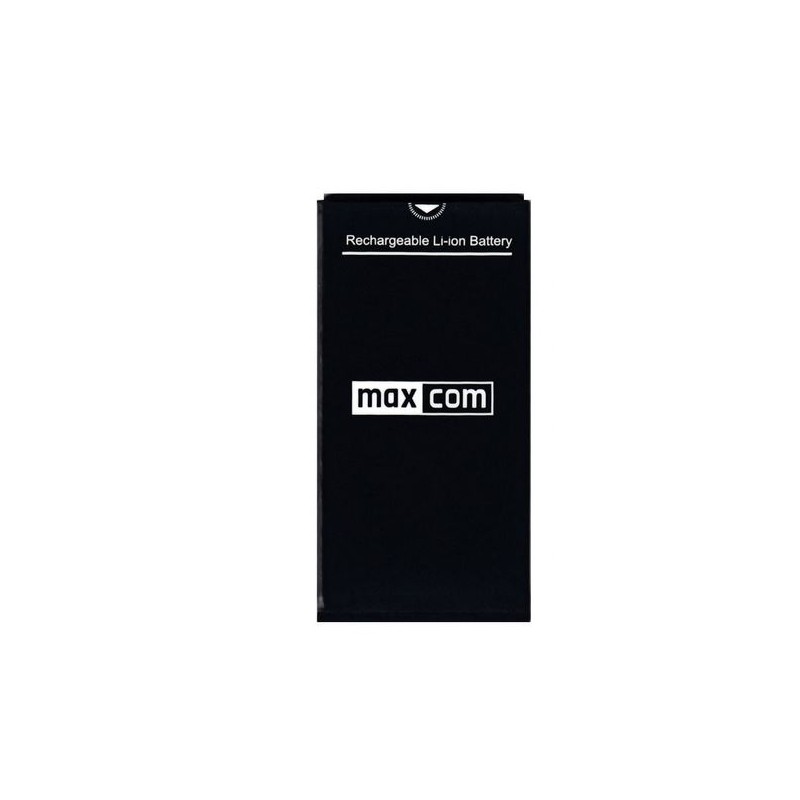
BATTERY FOR MAXCOM MM320/MM330
Technical Specifications:
- Brand Maxcom
Product description
Description
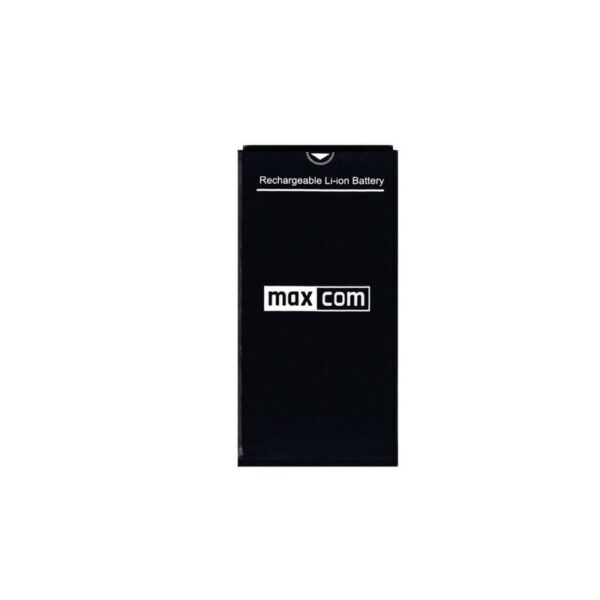
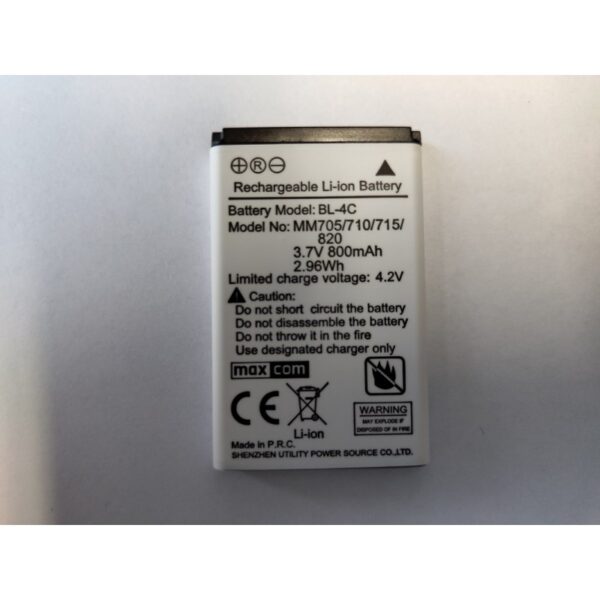
Battery for Maxcom MM320 and MM330 – Key Specifications
The battery for the Maxcom MM320 and MM330 phones is a replaceable lithium-ion battery that you can install yourself after removing the phone’s back cover. Its key specifications are:
- capacity: 1000 mAh;
- battery type: Li-ion;
- Compatibility: Maxcom MM320 and Maxcom MM330;
- type: replaceable phone battery.
So if the battery in your Maxcom MM320 or MM330 has lost its original performance, you don’t have to replace the entire phone. The manufacturer has made it possible to remove the worn-out battery and replace it with a new one.
Which phones is the Maxcom MM320/MM330 battery compatible with?
This battery is designed for two phone models: the Maxcom MM320 and the Maxcom MM330. So if you need a battery for the Maxcom MM320 or the Maxcom MM330, this battery is compatible with both devices. Don’t just pick any battery—it’s always best to go by your phone’s model number.
When should you replace the battery in a Maxcom MM320 or MM330?
Over time, a battery naturally loses its capacity, which is why your phone may need to be charged more often than before. If you’ve been using a Maxcom MM320 or MM330 for a long time, watch out for a few signs that may indicate battery wear:
- the phone discharges quickly—even with minimal use, the battery level drops noticeably faster than before;
- the device shuts down while the battery is still partially charged—for example, even when the indicator shows a few dozen or several dozen percent;
- charging takes longer than usual, or the battery does not reach a full charge;
- the runtime on a single charge has noticeably decreased and is beginning to interfere with daily use of the phone;
- the battery is damaged or deformed—in this case, you should stop using it immediately.
Replacing the battery can restore your phone’s battery life without having to buy a new device.
How do you install a new battery in a Maxcom phone?
In the Maxcom MM320 and MM330, the battery is removable, so installing it does not require a visit to a service center. Just follow a few simple steps.
- Turn off the phone before replacing the battery.
- Remove the back cover using the notch provided on the edge of the phone.
- Remove the old battery by gently prying it up from the appropriate side.
- Insert the new battery, making sure the contacts are properly aligned.
- Reattach the back cover and press it down until it snaps into place.
- Turn on the phone and plug it in to charge if necessary.
Do not use excessive force during replacement. If the battery does not fit into the compartment or does not align properly, double-check its position and compatibility with your phone model.
How can you care for the battery in your Maxcom phone to make it last longer?
Every battery loses capacity over time, but proper use helps maintain its performance for longer. Keep these guidelines in mind:
- avoid extreme temperatures—don’t leave your phone in direct sunlight, in a hot car, or in freezing cold;
- use the correct charger and accessories that meet the device’s requirements;
- do not use a damaged battery—if the battery swells, becomes misshapen, or overheats, stop using it;
- do not store a completely discharged phone for long periods—if the device is going to be left unused for an extended time, charge the battery beforehand;
- protect the battery from moisture and physical damage—do not disassemble it or attempt to repair it yourself.
Good habits when charging and using your phone help reduce premature battery wear.
A worn-out battery doesn’t have to mean the end of your phone’s life. If your Maxcom MM320 or MM330 needs charging more and more often, replacing the battery is all it takes to enjoy comfortable everyday use of your device again. Choose a battery designed for the MM320 and MM330 models and ensure your phone continues to work properly.
Check out the Maxcom MM320/MM330 battery and order it online!
Specifications
Additional information
| Brand | Maxcom |
|---|
User Reviews
This product does not have any reviews yet
About brand
Questions and Answers
I can’t make a call on the phone I bought.
Please verify that the number you are dialing is correct. When dialing a number in another country, always add the appropriate country code (e.g., Germany 0049 or +49). If you have a prepaid card, please check that there are sufficient funds in your account.
The SIM card is inserted; only emergency calls (112) can be made.
Make sure the SIM card is installed correctly.
My old SIM card doesn’t fit in my new phone.
Contact your mobile carrier’s nearest service center. They will replace your SIM card with the correct size to fit the SIM slot of your new phone.
How can I track the status of my shipment?
On the day we ship your package, you’ll receive an email with the tracking number and a link to track your shipment. Please note that the courier has 2 business days to deliver the package.
Will the courier call me before delivery?
Courier companies are not required to contact the customer by phone in advance. On the day the device is shipped, you will receive a message containing the tracking number and contact information for the courier company delivering the device. To determine the exact date and time of delivery, please contact the courier company directly.
Can I specify the exact delivery time for my package?
Please note that as a store, we are unable to specify the exact time of delivery by the courier company. On the day the device is shipped, you will receive a message containing the tracking number and contact information for the courier company delivering the device. To determine the exact date and time of delivery, please contact the courier company directly.
Related products